

Capitec Cash Send is a fast way to send money to someone using just their cellphone number. But what if you send it to the wrong number or enter the wrong amount?
This guide explains how to reverse Capitec Cash Send using the latest info from Capitec, plus what to do if the cash is already withdrawn.
Quick Answer: Can You Reverse Capitec Cash Send?
Yes, If the cash hasn’t been withdrawn, you may reverse it using the Capitec app or by contacting support. If its already withdrawn, unfortunately, the money cannot be reversed.
Table of Content
- Quick Answer: Can You Reverse Capitec Cash Send?
- What is Capitec Cash Send?
- Steps to Reverse Capitec Cash Send
- Other Options To Claim Back Capitec Cash Send
- What If The Money Has Been Withdrawn
- How To Reverse Debit Order Capitec
- Conclusion
What is Capitec Cash Send?
Capitec Cash Send allows you to send money instantly to anyone with a cellphone number. The recipient receives an SMS with a withdrawal PIN, which they can use at Capitec ATMs or partner retailers.
If the money remains unredeemed for 30 days, its automatically returned to the senders account.
Steps to Reverse Capitec Cash Send
If you’ve sent money to the wrong person or entered an incorrect amount, Heres how to reverse a Capitec Cash Send using the mobile app:
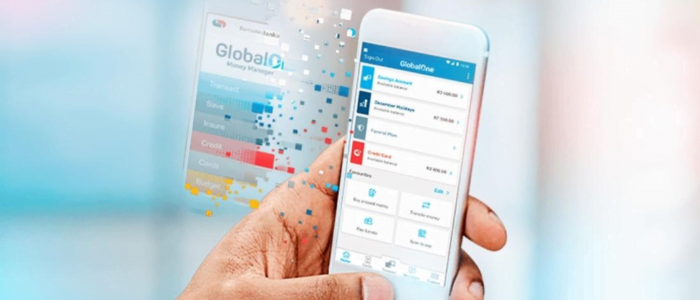
How to Reverse on the Capitec App:
- Open the Capitec app and log in.
- Tap on Transact.
- Select Send Cash.
- Look through your transaction list and find the one to reverse.
- Tap on the transaction and choose Reverse.
- Enter your Remote PIN to confirm.
- A confirmation message will appear if the reversal is successful.
Note: This only works if the money has NOT been withdrawn.
Other Options To Claim Back Capitec Cash Send
If the funds are already sent butnot yet withdrawn, Here are options to claim back your money.
Option 1: Withdraw the Cash Yourself
If you still have the SMS withdrawal PIN, head to a Capitec ATM or retail partner and withdraw the cash yourself before the recipient does.
Option 2: Contact the Recipient
If you know the recipient, politely explain the mistake and ask them to return the funds.
Option 3: Call Capitec Client Care
If the above methods fail, contact Capitec for help:
- 0860 10 20 43
- Provide the transaction details for assistance
Capitec may not reverse it for you, but they can block future access or investigate fraud.
What If The Money Has Been Withdrawn
If the cash has been withdrawn and Capitec cant help, you might not recover it. Heres how to avoid this next time:
- Dont rush the process
- Double-check numbers and amounts
- Only send to trusted contacts
How To Reverse Debit Order Capitec
Reversing debit orders is the one thing you can directly control in the app.
Reverse Debit Order Capitec Using the Capitec App:
- Sign in to the Capitec app.
- Go to “Transact.”
- Select “Debit Orders.”
- Enter your Remote PIN.
- Choose the debit order you want to dispute from your history.
- Select a reason for disputing the debit order.
- Accept the agreement.
Disputed debit orders are reversed immediately if valid.
Conclusion
Reversing a Capitec Cash Send is only possible if the funds havent been withdrawn. Use the Capitec apps Send Cash feature to find and reverse the transaction ASAP, or contact support if needed. For debit orders, you can easily dispute them right in the app.
FAQs
Can I reverse Capitec Cash Send online without using the app?
No, you need to use the app or contact customer support.
What happens if the recipient has already withdrawn the funds?
Unfortunately, the funds cannot be reversed if already redeemed.
How long do I have to reverse a Cash Send?
As long as it remains unredeemed, you can reverse it - or it will auto-return in 30 days.
Can I get my money back if I sent it to the wrong number?
Only if the cash is still unclaimed or if the recipient agrees to send it back.